Aurora Trust · Platform guide
Your AI governance workspace, explained.
A short tour of what you will see after you sign in — what each screen is for, what the labels mean, and what to do first. It takes about three minutes.
Register an AI system in minutes
No legal background needed — the questions are in plain language.
See exactly which EU AI Act duties are yours
Worked out from what the system does and who built it.
Know whether a system is cleared to run
One clear verdict per system, updated as you work.
Use the ← → keys or the buttons below.
02How it works
From an AI system to cleared for deployment.
Everything in the platform follows the same five steps. Each system moves through them at its own pace.
- Step 1
Register
Describe the AI system and answer a few yes/no questions.
- Step 2
Classify
It is placed in an EU AI Act risk tier, and your role — provider or deployer — is worked out.
- Step 3
Obligations
Every duty that applies becomes a tracked task with an owner and a due date.
- Step 4
Evidence
Generate the documents, review and sign them off, record the EU registration.
- Step 5
Cleared
The deployment gate turns green once nothing blocking is left open.
One set of rules, everywhere. The verdict on a system page and the readiness score on the dashboard are worked out from the same obligations — so they never disagree with each other.
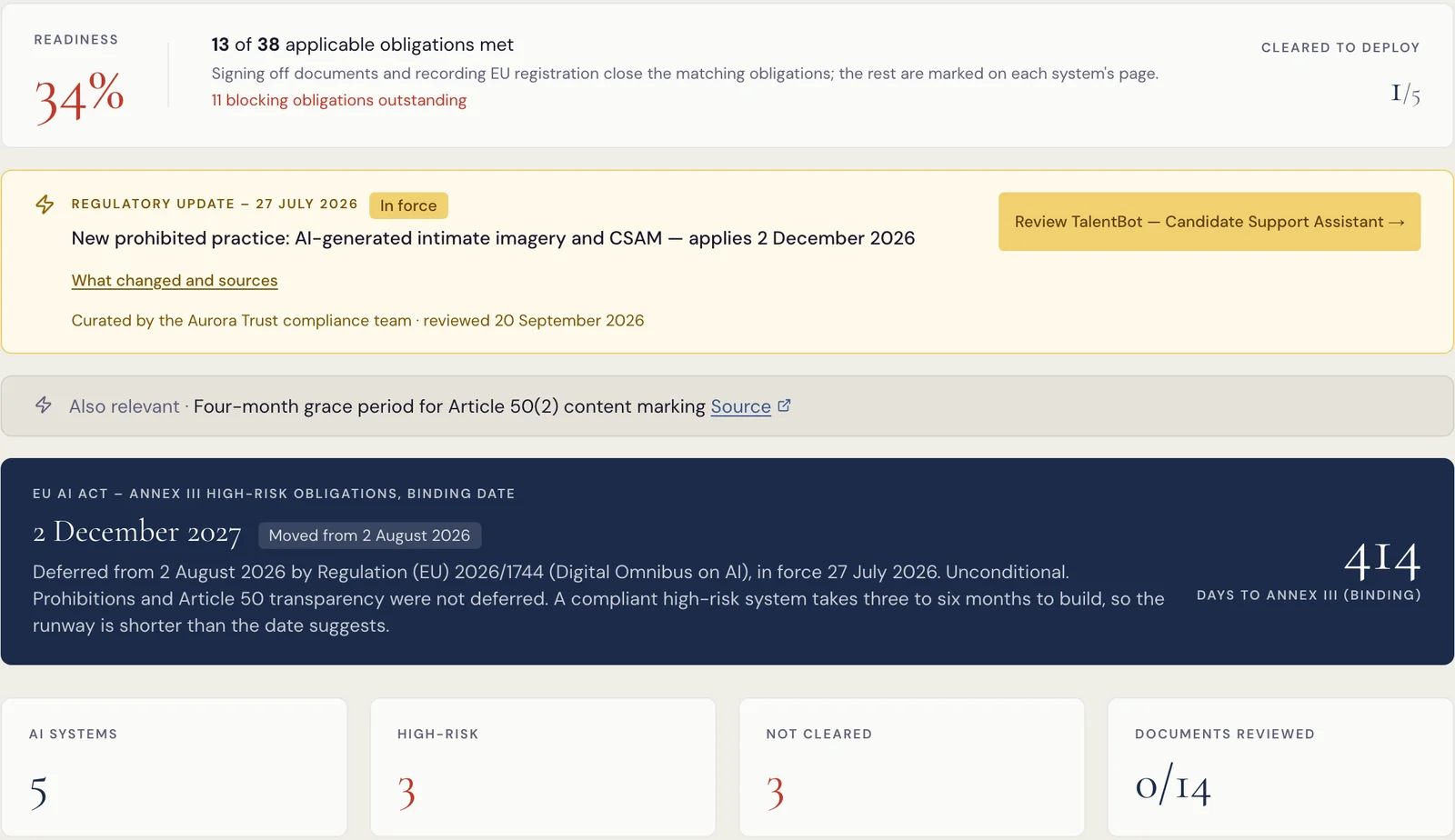
03Dashboard
Your compliance state, at a glance.
- 1
Readiness
How much of what the law asks of you is already done, across all your systems.
- 2
Regulatory update
Changes in the law that touch your systems, checked and dated by the Aurora Trust compliance team, with a link to the system affected.
- 3
Binding date
How many days are left until the high-risk rules apply.
Further down, “What Needs Attention” lists what is still open — “Resolve →” takes you straight there. Every due date is also in the Calendar.
12304Register a system
A few minutes, no legal background.
Start from “+ Add AI System” on the AI Systems page, or “+ Register AI system” on the dashboard.
- 1
System basics
A name, and one sentence on what it does.
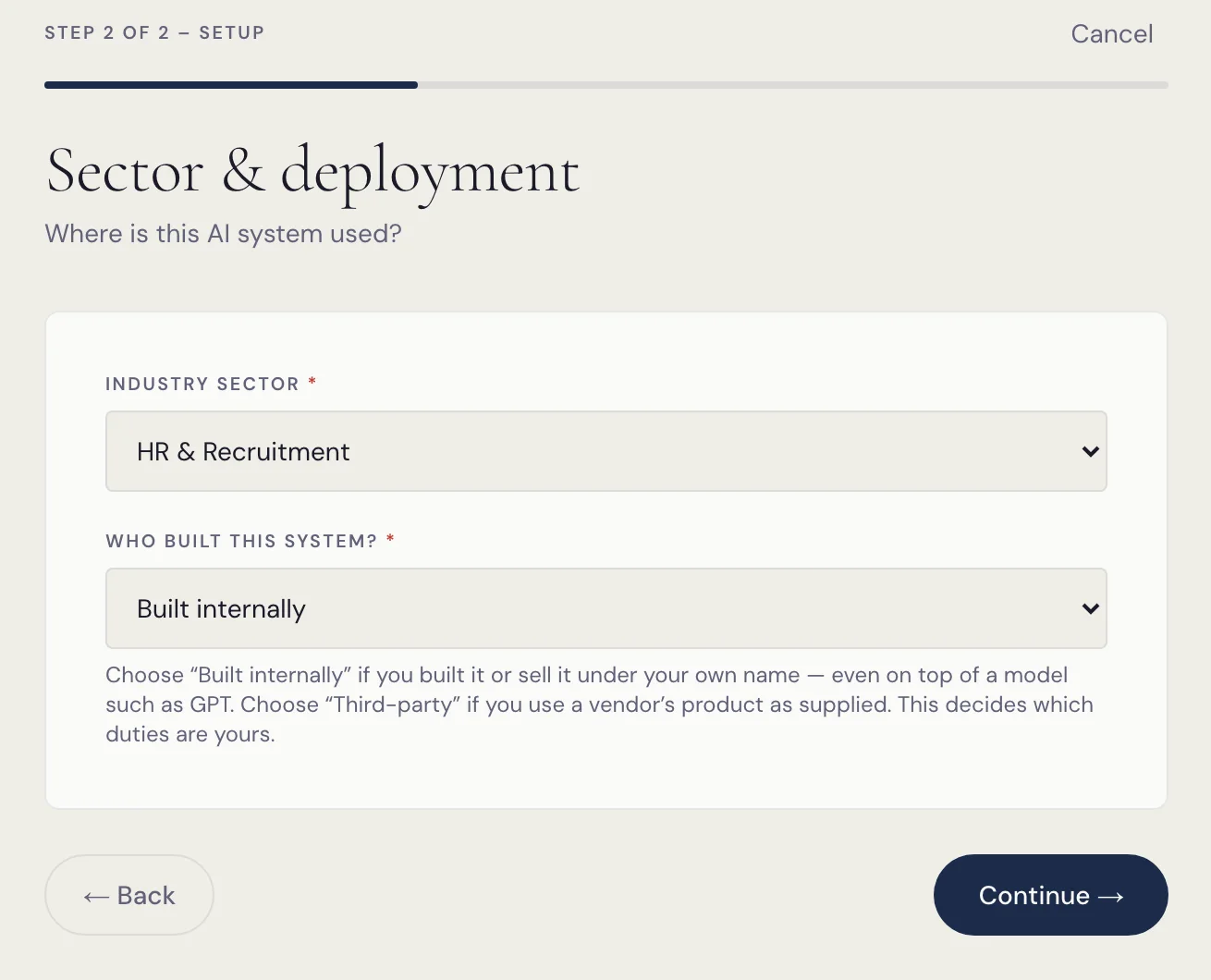
- 2
Sector & deployment
Your industry, and who built the system — this decides which duties are yours.
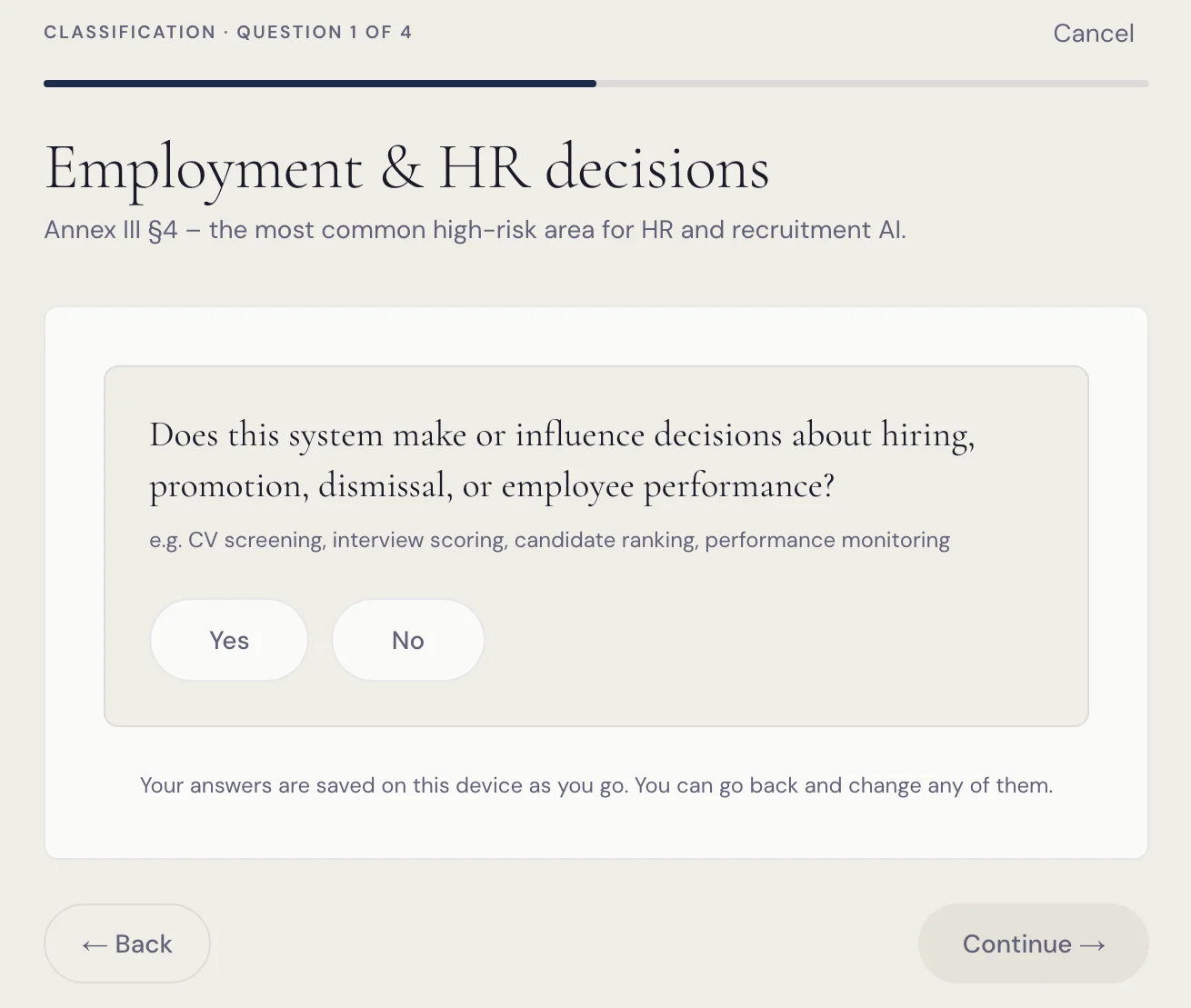
- 3
A few yes/no questions
Tailored to your sector, plus two that everyone answers: images or video of real people, and whether people interact with it.
- 4
Classify & register →
Saves the system and shows the result. Until then your answers are only kept on your device, and you can go back and change any of them.
05Classification
Two answers that shape everything else.
1 · The risk tier
A prohibited practice under Article 5. No document makes it lawful — the system stays blocked.
Annex III areas such as hiring, education, credit and biometrics. The full set of duties: risk management, documentation, human oversight, conformity, EU registration.
People interact with it, or it generates content. Transparency duties under Article 50.
No specific duties under the Act. Cleared straight away.
2 · Your role
“Built internally” →
Provider
You built it, or sell it under your own name — even on top of a model such as GPT. The provider duties, including the technical file and the declaration of conformity, are yours.
“Third-party / vendor system” →
Deployer
You use a vendor’s product as supplied. Your duties sit mostly in Article 26 — use it as instructed, assign human oversight, keep logs, inform people — and sometimes a fundamental rights impact assessment.
Answered something wrong, or the system changed? Use “Reclassify” on the system page. Your previous answers are filled in, and progress on duties that still apply is kept.
06Deployment gate
One question: can this system run?
The first card on every system page, and the status next to each system in your AI Systems list. It changes the moment you update an obligation.
Every obligation that blocks deployment is met or ruled out.
Nothing blocks, but some duties are still open — a person should decide.
At least one blocking duty is open, or the use is prohibited. The card names the articles.
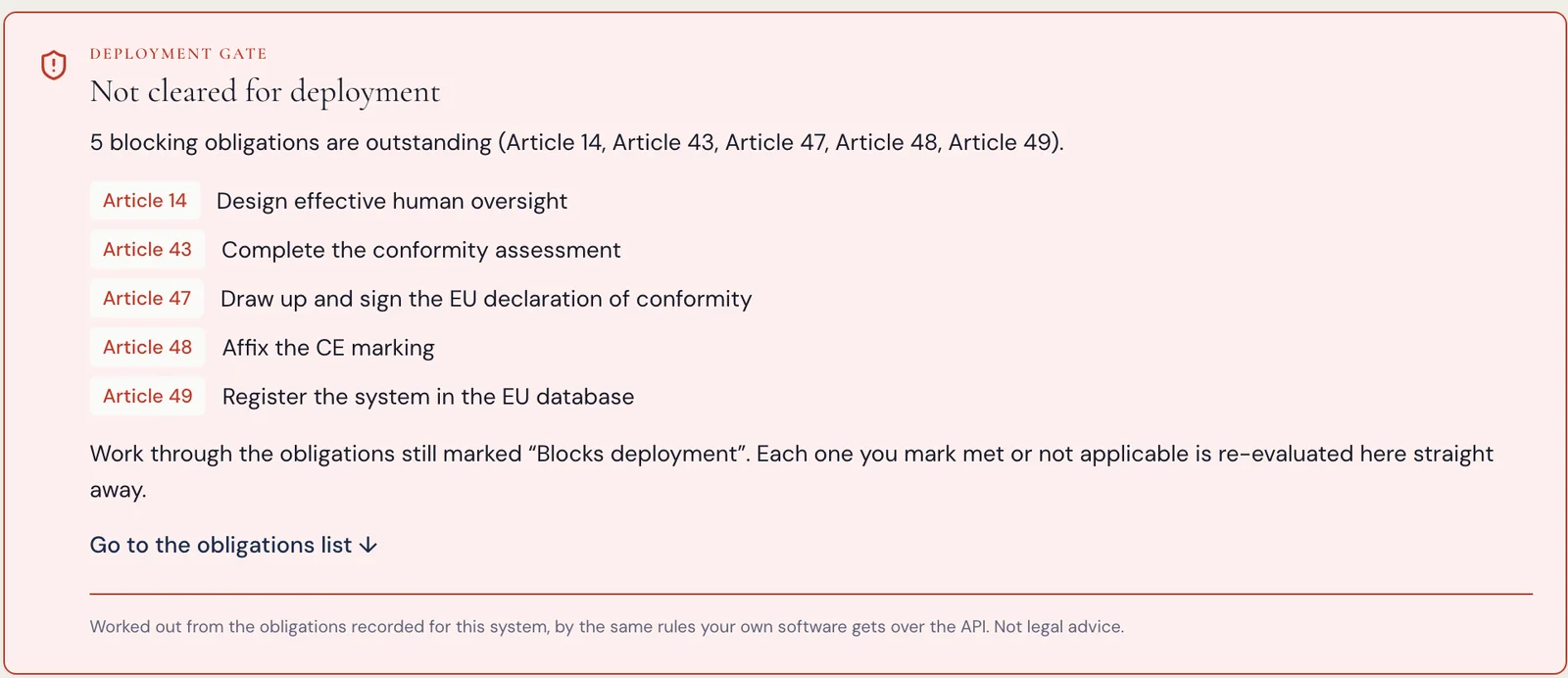
A new high-risk or limited-risk system always starts as “Not cleared”. That is expected — read it as your to-do list, not an alarm.
07Obligations
The law, as a task list.
Two groups
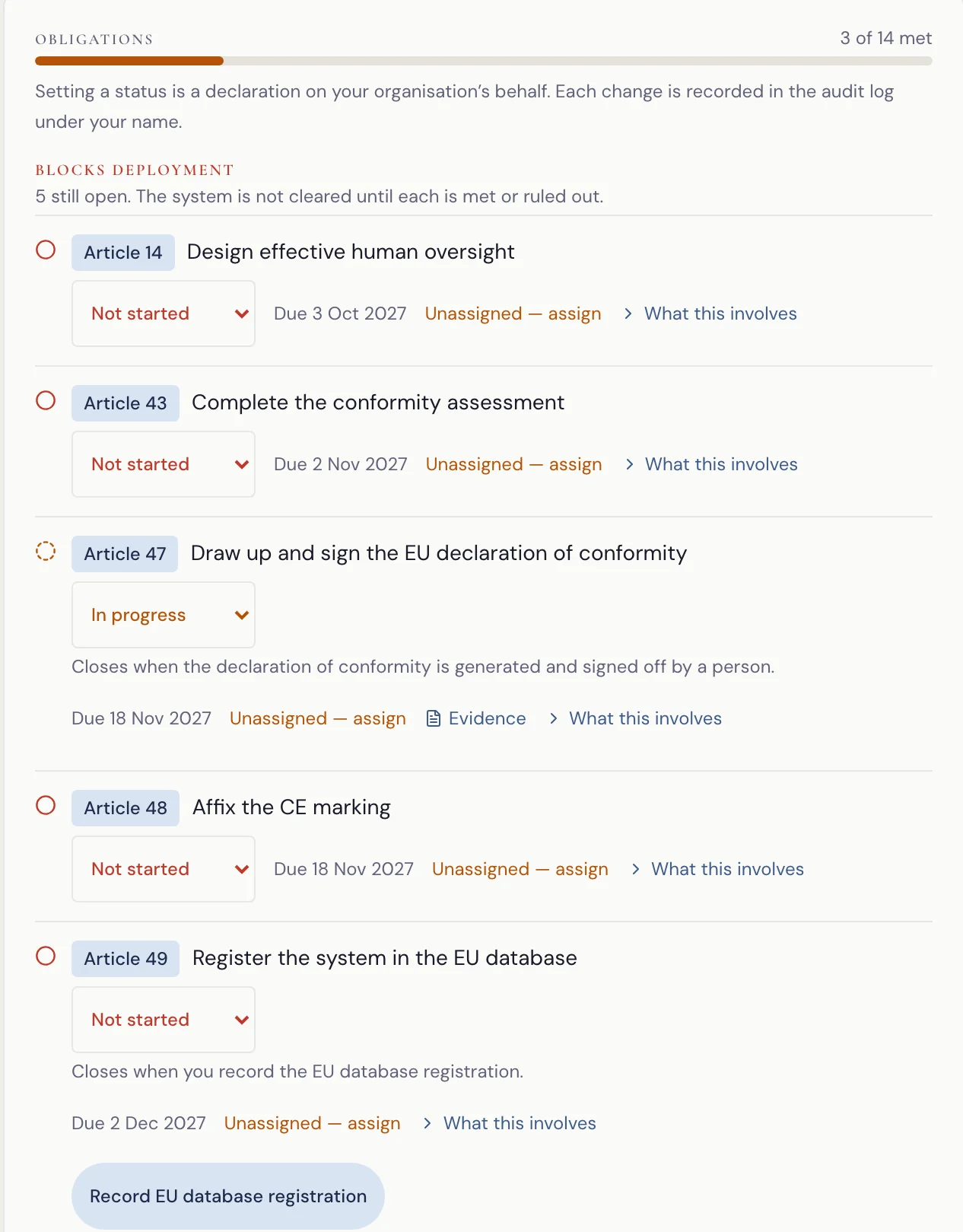
“Blocks deployment” must be met or ruled out before the system is cleared. “Also required” still applies, but does not hold up the verdict.
Four states
Not startedIn progressMetNot applicableA few close only with proof — for example a signed document or your EU database registration.
Not sure what an article means?
Click its “Article …” badge for a plain-English summary, what to do, an owner and a due date.
Setting a status is a declaration on your organisation’s behalf. Every change is recorded in the audit log under your name.
08Documents
Drafted by AI, signed off by you.
- 1
Generate
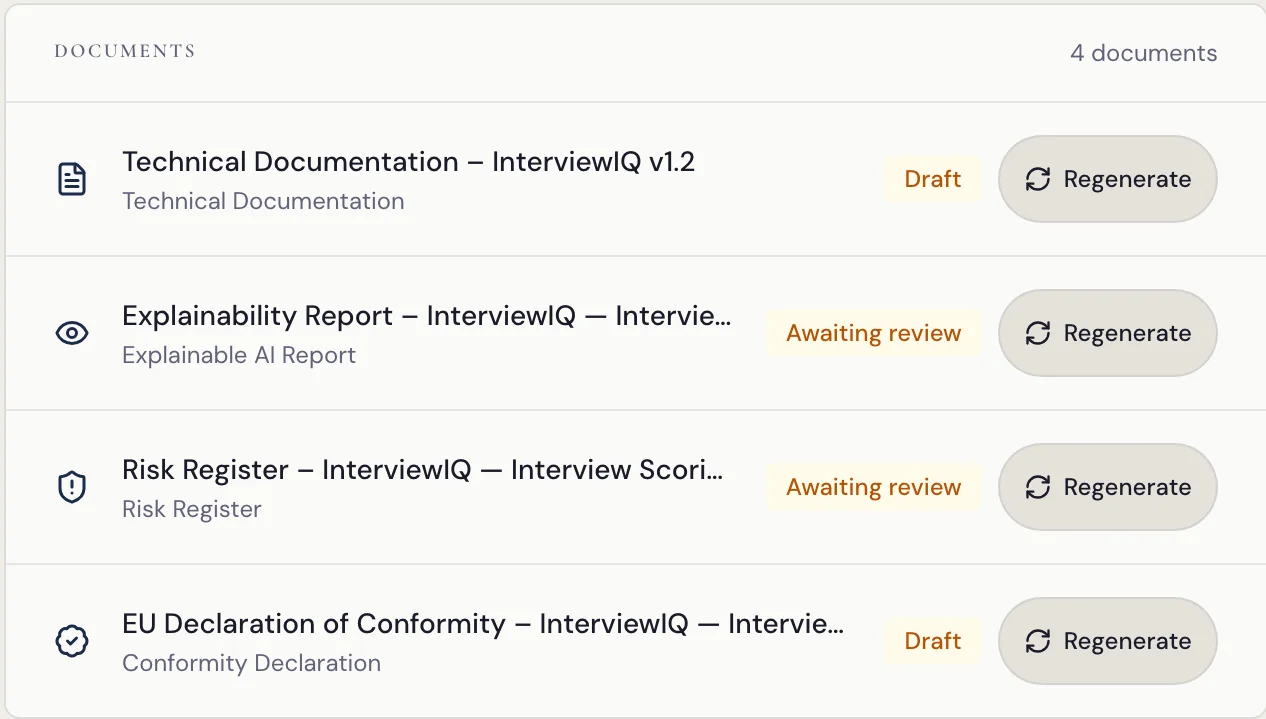
On the system page. You get the documents that fit the system’s tier and your role, written from the details you gave.
- 2
Review
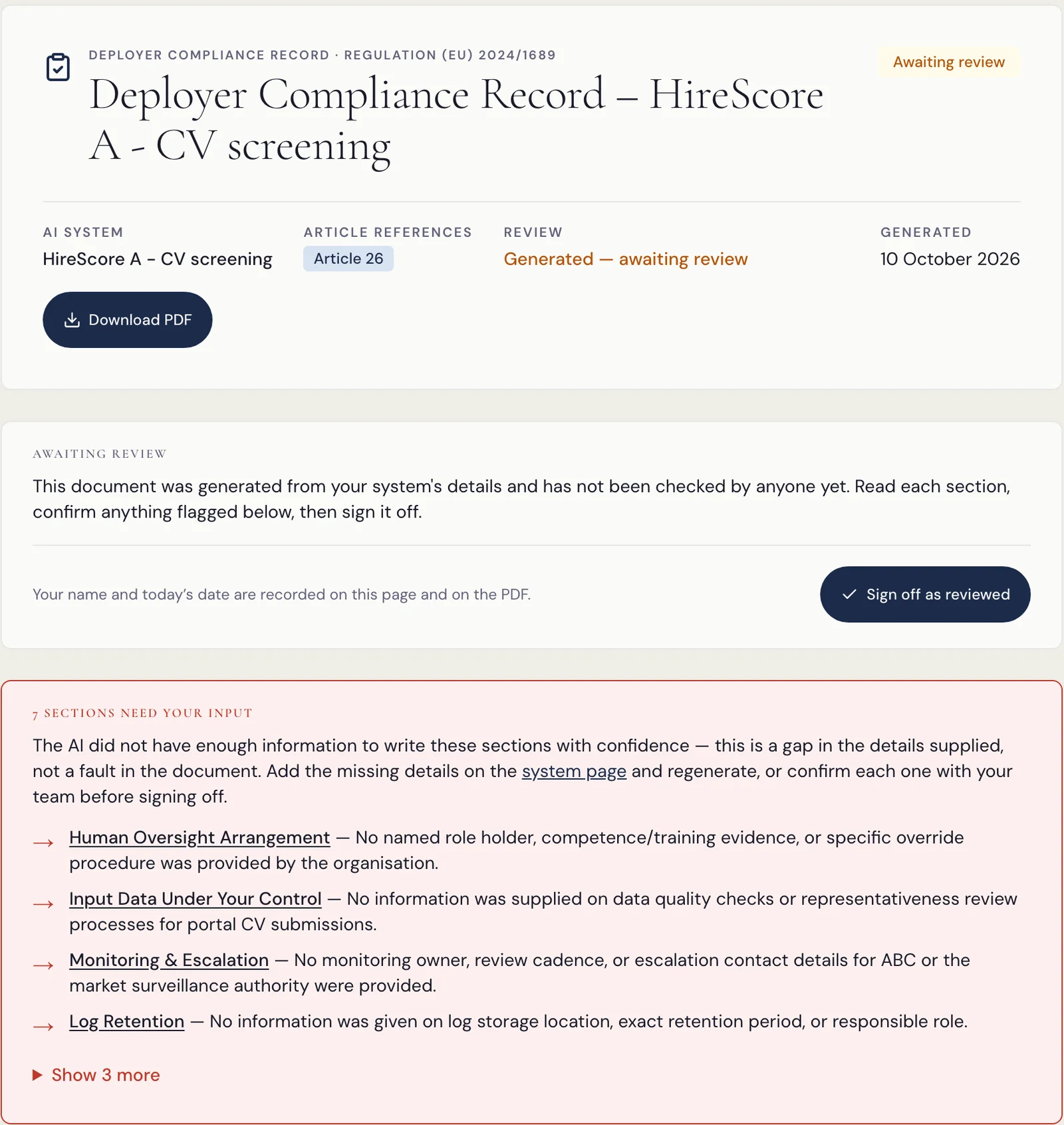
Each section is marked Based on your details Check this or Needs your input. Add missing details on the system page and regenerate, or confirm them with your team.
- 3
Sign off as reviewed
Records your name and the date on the page and the PDF, and closes obligations that were waiting on it. Regenerating a document clears its sign-off.
- 4
Download PDF
An audit-ready copy for your file, your customers or a regulator.
09Get started
Your first thirty minutes.
You don’t need everything at once. This order gets the most important things in place first.
Aurora Trust generates documentation to support your compliance process. It is not legal advice — review with qualified legal counsel where appropriate.
- 1
Register your AI systems
Start with the one closest to customers or candidates.
- 2
Read each deployment gate
It tells you what stands between the system and “Cleared”.
- 3
Give every blocking obligation an owner
Click “Unassigned — assign” on the row and pick a colleague.
- 4
Generate, review and sign off documents
Fill the sections marked “Needs your input” first.
- 5
Invite your team
Members to do the work, Viewers to follow along.